The Properties Pane shows the properties of the selected disk or folder.
Disk Properties are displayed when:
- selection is empty;
- selection includes more than one folder;
- only disk icon is selected
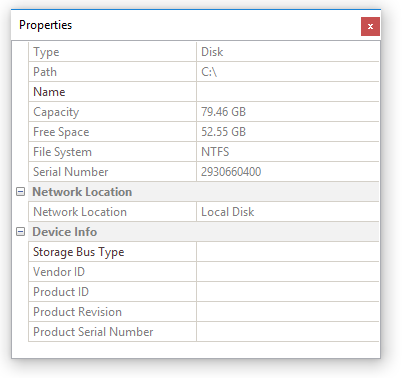
Name (disk label) is the only property that you can edit. Other properties are read-only.
Folder Properties are displayed when single folder is selected.
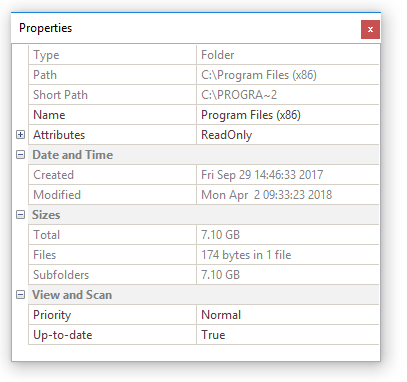
You can change:
- Folder name;
- Attributes;
- Scan priority;
- Up-to-date flag
Other fields are read-only.
Note that some of the properties might not be accessible if the application is run under an account with inadequate privileges.
Related Topics
Learn how to toggle the properties pane on or off.
Learn how the Scan Priority and Up-To-Date folder properties are used.