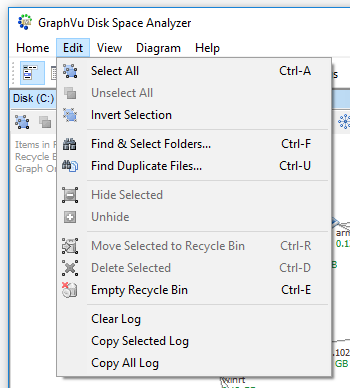
Edit Menu Commands
Select All - select all folders in the current disk diagram (Ctrl-A).
Unselect All - unselect all folders in the current disk diagram.
Invert Selection - invert selection.
Find & Select Folders... - find and select folders and files that meet certain criteria, such as name, modification date, size (Ctrl-F).
Find Duplicate Files... - find duplicate files that meet certain criteria, such as name, modification date, size (Ctrl-U).
Hide - hide selected folders.
Unhide - shows the list of hidden folders and allows to unhide them.
Move to Recycle Bin - move selected folders to the Recycle Bin (Ctrl-R).
Delete - permanently delete selected folders (Ctrl-D).
Empty Recycle Bin - permanently delete items in the Recycle Bin (Ctrl-E). Operation only affects the current disk.
- Clear Output - erase Output window.
- Copy Selected Output - copy the selected output to the clipboard.
- Copy All Output - copy all output to the clipboard.